EMERGENCY SHIELD
ALL GUNS · PASSIVE

NEW PASSIVE
RECHARGE: 20 s
20 damage-free combat seconds. Block one qualifying enemy hit, then recharge without taking damage.
Game developer working in Unity & C#
I’m based in Lithuania and looking for a fully remote junior Unity/C# or game development role.
Get in touchMy solo project since
In development Unity / C# / Android
Recorded on Android
· No audio
I’m developing a survival game for Android using Unity and C#. My work includes gameplay design, C# scripting and testing on Android devices.
I designed the combat, progression and reward systems. I’ve also investigated performance and control issues on Android, researched possible causes and compared changes through device testing.
Playtests have guided improvements to movement, equipment collection and the flow between waves.
I use Codex for AI-assisted implementation.
See the save-system codeThe Last BlockStand / Upgrade design
I designed upgrade choices to change how each run plays. Try a choice, then reroll to compare twelve real passives for weapons, the Operator and tactical Gear.
Interactive upgrade-choice demonstration using original assets from The Last BlockStand.
Choose one passive upgrade for this run.
Swipe to compare all three cards, or use the arrow buttons.
ALL GUNS · PASSIVE
NEW PASSIVE
RECHARGE: 20 s
20 damage-free combat seconds. Block one qualifying enemy hit, then recharge without taking damage.
MPS-5 · PASSIVE

NEW PASSIVE
Qualifying kills increase movement speed while firing by 20% for 3 seconds.
Decoy Beacon · PASSIVE
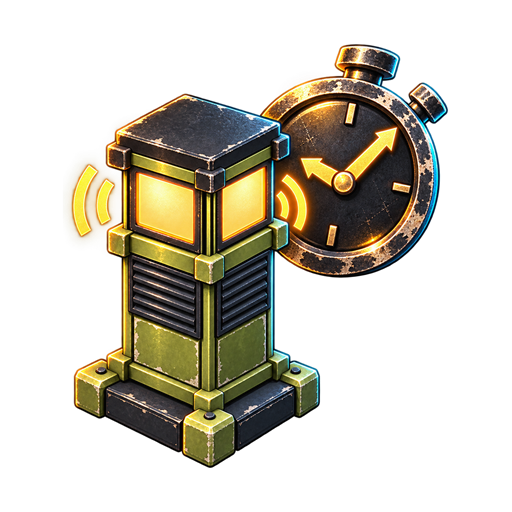
NEW PASSIVE
Extend the signal by 4 s.
12 real cards · Unlimited demo rerolls
20 damage-free combat seconds. Block one qualifying enemy hit, then recharge without taking damage.
Select from Run Score rewards during missions.
Qualifying kills increase movement speed while firing by 20% for 3 seconds.
Further qualifying kills refresh Run Riot without stacking. Moving or firing alone does not maintain it.
Extend the signal by 4 s.
Select a card, then confirm your choice.
Tier I example pool. Selection and unlimited rerolls are website-only; no game state changes. Cards show effect previews; full descriptions are available above.
The artwork and card copy come from the current game. This example assumes the relevant upgrades are available at deployment and no passives have been selected. In the game, Choose applies the offer directly, and rerolls use the game’s free, ticket or ad rules. Here, you can stage a choice, confirm it and reroll freely to explore the cards.
ALL GUNS · PASSIVE
NEW PASSIVE
RECHARGE: 20 s
20 damage-free combat seconds. Block one qualifying enemy hit, then recharge without taking damage.
The Last BlockStand / Account progress
A save can fail before the game confirms it. The recovery path keeps the accepted result and retries it without calculating the reward again.
Illustration of the project’s recovery logic, not captured gameplay or recorded test evidence.
Capture the reward result.
Keep the pending proposal.
Check and reuse the same result.
Confirm the committed result.
If the intended result is already on disk, the code acknowledges it. If the expected starting state matches, it writes the captured result. An unexpected state stops the write and preserves the pending proposal.
Committed account progress stays when a mission ends. Quitting or process loss ends an unfinished mission; it does not resume from disk.
SaveManagerW10.cs / RetryW10Transaction
if (current == next)
{
    return PublishPendingW10Account(next);
}
This branch confirms a result already on disk instead of applying the reward again.
Project code from the AI-assisted implementation.
SaveManagerW10.cs · RetryW10Transaction / Lines 497, 501–504, 508
string current = File.ReadAllText(SavePath),
    next = W10Canonical(pendingW10);

EnsureFreeEquipmentPhysicalBoundary(
    pendingFreeEquipmentReroll, pendingW10,
    current == next, verifyImages: true);

if (current == next)
{
    return PublishPendingW10Account(next);
}

if (current != pendingW10ExpectedRaw)
    throw new InvalidDataException(
        "Original expected account changed; preserve pending proposal.");

authorizedW10Write = true;
try
{
    if (!WriteW10(pendingW10)) return false;
}
finally
{
    authorizedW10Write = false;
}
return PublishPendingW10Account(next);
Formatting adjusted; timing instrumentation omitted. The full method also checks retry ownership and handles errors.
Attacks and placed defences keep the stats they had when created, even if equipment changes. Delayed effects check the intended enemy lifetime before applying to a reused pooled object. Reward choice, preparation and combat use separate states, with pause and readiness checks controlling transitions.
Unity 2D platformer, around 2022
I made this platformer before The Last BlockStand. Its scripts show my earlier C# work, from player health and respawning to projectile combat and physics-based interactions.
Only the scripts and Unity metadata survive. There’s no playable build, and the archive hasn’t been rebuilt or runtime-tested.
SaveFlag.cs / Lines 15–23
void OnTriggerEnter2D (Collider2D other)
{
    SlimeController player = other.gameObject.GetComponent<SlimeController>();
    if(player)
    {
        player.startPos = respawnPoint;
        Debug.Log("Player entered ");
    }
}
The trigger stores the position used when the player respawns.
I wrote the damage protection and health/HUD updates, and connected checkpoint triggers to respawning. A checkpoint records a position; respawn restores the player’s position and health.
SlimeController.cs, lines 227–235
public void onRespawn() // it's being called when my dying animation finishes to play
{

    transform.position = startPos;
    currentHealth = maxHealth;
    animator.SetBool("Dying", false);
    dying = false;
    UIHealthBar.instance.SetValue(currentHealth/(float)maxHealth);
}I connected ammo limits and a reload timer to projectile firing, an ammo counter and a cooldown display. BoxCast checks support jumping; raycasts handle world interactions.
SlimeController.cs, lines 128–146 · Excerpt from Update
shotTimer += Time.deltaTime;
if(shotTimer >= shotCD && prCount == 0)
{
    prCount = 6;
}
if(Input.GetKeyDown(KeyCode.C) && shotTimer >= shotCD && prCount > 0) // if i press C and the cooldown is up launch my projectile
{
    Launch(); // function of launching projectile
    PlaySound(shotProjectileSound);
    prCount--;
    if(prCount == 0)
    {
        shotTimer = 0.0f; // I set the timer to 0 after I shoot
        projectileCooldownUI.StartCooldown(); // Start the UI cooldown when the player shoots
    }


}
proCount.text = "" + prCount;Around 2022
The Slime AdventuresEarlier Unity / C# platformerI’m also open to part-time and contract work. I have UK work rights.